Beating Direct Sunlight: Tested Tricks to Maximize Mobile Display Visibility
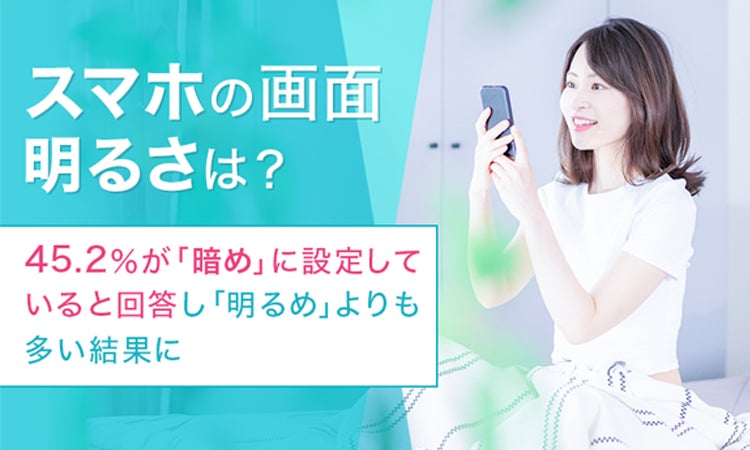
Step onto an asphalt sidewalk at noon in mid-July, and your $1,200 smartphone turns into a pocket mirror. You squint, shade the glass with an open palm, and drag the brightness slider to its ceiling, only to watch the panel dim itself three minutes later. Despite modern marketing touting blinding luminance figures, millions of users deliberately cripple their screens. A comprehensive nationwide study published by NEXER via PR TIMES revealed that 45.2% of smartphone owners actively keep their displays set to dim levels, prioritizing battery preservation and eye strain mitigation over legibility.
That habitual dimming creates a severe usability bottleneck the second users step outdoors. As documented by reporters at Kobe Shimbun and livedoor News tracking summer heat waves, solar glare washes out critical mobile navigation, ticket barcodes, and emergency alerts. Surviving direct summer rays requires more than simply shoving a slider to 100%. Making a screen legible under 100,000 lux of overhead sunlight demands an understanding of hardware limits, thermal triggers, and optical coatings.
💡 At a Glance:
- The Behavioral Barrier: Nearly half of users (45.2%) manually lock panels to low brightness, which inadvertently disables automated high-luminance triggers when moving outdoors.
- The Hardware Ceiling: Manual sliders cap out around 800, 1,000 nits; reaching full panel potential requires automated sensor activation under real sunlight.
- The Thermal Reality: Flagship displays throttle back their maximum output within 3 to 5 minutes if chassis temperatures breach 40°C (104°F).
Why Manual Brightness Sliders Fail Outdoors
Dragging your display brightness slider to its absolute maximum inside Settings will not unlock your phone's true brightness ceiling. Panel manufacturers lock the highest tier of luminance behind automated software triggers. The manual slider typically maxes out between 800 and 1,000 nits on modern OLED panels. Reaching the advertised figures, often cited between 2,000 and 4,500 nits on contemporary devices, requires High Brightness Mode (HBM).
High Brightness Mode activates exclusively through the ambient light sensor. When that sensor detects blinding outdoor illumination exceeding 20,000 lux, the operating system bypasses normal power envelopes. If you turn off adaptive brightness settings to save power, you permanently lock yourself out of HBM. The screen remains trapped at the manual ceiling, rendering it virtually unreadable against harsh sky reflections.
Keeping adaptive brightness enabled allows the system to engage auto-brightness calibration. If the screen feels uncomfortably dim when you step out of the shadows, do not disable the automated toggle. Stand directly in the sun and adjust the slider upward. Modern Android and iOS builds store that manual offset at that specific lux bracket, teaching the display curve to run hotter the next time you face direct midday sun.
The Physics of Screen Glare and Contrast Ratios
Legibility under direct sunlight is an optical battle between panel luminance and surface reflection. Ambient sunlight on a clear afternoon generates approximately 100,000 lux. Standard smartphone cover glass reflects roughly 4% to 5% of ambient light directly back into your eyes. Five percent of a 100,000-lux sky washes out the deep blacks produced by organic light-emitting diodes, cratering your OLED outdoor contrast ratio.
Contrast matters far more than raw white output. An OLED panel creates an infinite contrast ratio in a dark room because its pixels turn off completely. Outdoors, ambient reflections illuminate those dark pixels from the surface, turning black text into muddy gray. To combat this washout, systems deploy an integrated sunlight readability toggle or dynamic tone-mapping algorithm. These sub-routines do not simply pump white pixels; they artificially blow out shadows, saturate mid-tones, and alter gamma curves so text outlines remain distinct against washed backgrounds.
Display features like True Tone and display visibility adjustments also shift under bright light. True Tone measures the color temperature of the ambient environment to match screen white points. Under an intense blue sky, it pushes panel hues warmer. While this reduces eye fatigue under office LEDs, it can occasionally muddy contrast against harsh solar glare, leading some field workers to disable ambient tinting during peak daytime hours.
Outdoor Visibility and Display Performance Benchmarks
| Display Configuration | Sustained Outdoor Luminance | Reflectivity Ratio | Thermal Throttling Window |
|---|---|---|---|
| Manual 100% Slider (OLED) | 750, 900 nits | 4.2%, 4.6% | Indefinite (Thermal Stable) |
| High Brightness Mode (Auto) | 1,600, 2,400 nits | 4.2%, 4.6% | 3, 5 Minutes before drop |
| Anti-Reflective Bare Glass (Gorilla Armor) | 1,600, 2,600 nits | 0.8%, 1.2% | 3, 6 Minutes before drop |
| Matte Screen Protector Added | 1,400, 2,100 nits (diffused) | Diffuse Haze (~15%) | 3, 5 Minutes before drop |

Hardware Add-ons: Anti-Reflective Glass vs. Matte Films
Display glare reduction hardware can radically alter readability without drawing extra milliamps from your battery. The market divides sharply between optical anti-reflective glass treatments and traditional matte screen protectors. Etched matte films scatter direct specular reflections into a diffuse haze. This eliminates the mirror effect of your own face or overhead clouds. However, matte films diffuse ambient light across the entire display matrix, reducing sharpness and adding a distinct sparkle texture across white backgrounds.
Specialized anti-reflective coatings work on destructive optical interference rather than surface diffusion. First popularized on high-end camera optics and adopted on flagship devices like the Samsung Galaxy S24 Ultra and S25 series via Corning Gorilla Armor, these coatings cut reflections from 4.5% down to under 1%. Text pops with deep black levels even under harsh sun, eliminating the need to push panel diodes to their absolute thermal limits.
Applying a cheap gloss tempered glass protector on top of an anti-reflective display instantly negates the built-in coating. The top surface of the accessory glass reintroduces high reflectivity. If you demand drop protection while working outdoors, invest specifically in chemically etched anti-reflective screen protectors rather than standard untreated glass.
The Thermal Tax: Battery Drain and Sustained Brightness Drop
Running peak nit brightness extracts a heavy physical toll on internal hardware. Driving modern emissive layers past 1,500 nits multiplies battery consumption by a factor of three compared to standard 400-nit indoor operation. Battery drain vs screen brightness is non-linear; pushing the final 20% of display output accounts for nearly 50% of total panel power draw. The battery drops precipitously when you run GPS navigation with a fully illuminated screen.
Heat presents a far stricter limitation than battery capacity. Pumping intense current through OLED subpixels generates internal heat alongside solar thermal radiation hitting the dark glass. When internal temperature sensors read 40°C to 42°C (104°F, 108°F), safety protocols throttle panel output. The device aggressively drops brightness down to 500 nits to preserve battery chemistry and protect the organic emitters from permanent burn-in.
Android devices provide an "Extra Brightness" toggle under manual slider settings, but this option disables automatically whenever adaptive brightness runs. While it boosts manual output indoors, it offers no defense against outdoor thermal throttling. Once the chassis absorbs summer heat, the operating system overrides user preferences every single time.
Actionable Settings to Optimize Daytime Readability
Making your phone legible outdoors requires tailoring several deeply buried settings before stepping into direct sunlight. First, re-enable adaptive brightness if you disabled it following the trend identified in the 45.2% survey figure. You cannot trigger High Brightness Mode without sensor automation running in the background.
Second, toggle on High Contrast Text within your operating system's accessibility suite. This adds an outline to system fonts, ensuring navigation labels remain legible when midday glare washes out subtle color differences. On Android, navigate to Settings > Accessibility > Vision enhancements and toggle High Contrast Fonts. On iOS, navigate to Settings > Accessibility > Display & Text Size and enable Increase Contrast.
Third, turn off system-wide Dark Mode before heading outside for extended periods. Dark mode saves battery life indoors, but inverted text becomes nearly unreadable under 80,000 lux. White backgrounds maximize the total illuminated surface of the screen, overcoming the reflective glare bounce that obscures small, thin gray fonts on black backgrounds.
Frequently Asked Questions (FAQ)
Q1: Why does my phone screen suddenly get dimmer after five minutes in the sun?
A1: This is thermal throttling. When direct sunlight combined with High Brightness Mode heats the phone's battery and processor beyond 40°C (104°F), the operating system automatically forces the display down to safer levels to prevent thermal runaway and permanent hardware damage.
Q2: Does an anti-reflective screen protector make a bigger difference than raising brightness?
A2: Yes. Reducing surface reflections from 4% to under 1% delivers an immediate fourfold increase in effective contrast. This allows you to read your screen clearly without running the panel at battery-draining peak output.
Q3: Should I keep Dark Mode enabled when using my phone outdoors?
A3: No. Switch to Light Mode when working outside. Light backgrounds provide far higher total perceived luminance, overwhelming ambient mirror reflections that make dark mode text unreadable under midday sunlight.
Display Visibility Strategies for Midday Sunlight
Managing mobile visibility under direct sunlight requires treating your smartphone as an integrated optical and thermal system. Relying solely on maximum brightness sliders yields diminishing returns, draining battery reserves and triggering aggressive thermal drops within minutes. Re-engaging adaptive brightness sensors unlocks critical high-brightness firmware tiers that manual sliders lock out. Pairing that automated headroom with Light Mode settings and optical anti-reflective glass delivers sustained outdoor legibility without frying your hardware on the first warm afternoon of the year.
