Can You Recover Deleted Safari History? What Works and What Is a Scam
The moment someone taps "Clear History and Website Data" on an iPhone or hits the delete key across a Mac browser list, an immediate assumption takes hold: the data is gone forever, or inversely, an elusive software utility can pull it back in seconds. Both assumptions miss how Apple engineered WebKit. Ever since Apple decoupled single-entry deletion from scorched-earth cache purges, a transition detailed early on by an OSXDaily Report on granular history management, the underlying data pipeline has operated under strict write-ahead logging and flash memory constraints.
In 2026, the question of deleted browsing history recovery occupies a lucrative, predatory corner of search engine optimization. Search results overflow with sponsored utilities charging $49 to $89 on recurring billing schemes, promising one-click resurrections of purged sessions. The technical reality of Apple’s operating systems tells a vastly different story.
📌 Quick Summary:
- The Core Reality: Purging history drops the pointer and triggers vacuum commands in local databases, making unilateral consumer recovery impossible without preexisting snapshots.
- The Commercial Threat: Third-party data recovery tool scams prey on desperation, repackaging cached DNS entries or local favicons as "recovered" private records.
- Legitimate Pathways: True retrieval relies strictly on full device rollbacks, system snapshots, or residual system logs like Screen Time metrics.
The Architecture of Safari History and SQLite Storage
Apple stores local browsing records within structured SQLite databases. On macOS, this file sits at `~/Library/Safari/History.db`, accompanied by secondary write-ahead log files (`History.db-wal` and `History.db-shm`). On iOS and iPadOS, the equivalent database is locked behind sandboxed file systems accessible only by elevated system processes or full file system extractions.
When a URL loads, the WebKit engine writes page titles, timestamps, visit counts, and redirects directly into these relational tables. Deleting an entry sends a direct `DELETE` command to the SQLite engine. At that exact millisecond, the row marked for deletion becomes unindexed space. However, Apple’s implementation does not leave unindexed databases open indefinitely.
To maintain system speed and storage efficiency, Safari periodically runs a `VACUUM` routine on these databases. This command rebuilds the database file, shedding empty space and overwriting discarded records. On iOS devices using modern APFS (Apple File System), flash memory controllers run aggressive TRIM operations. Once a block is marked invalid by a file system purge, garbage collection routines physically clear the flash NAND cells. After those routines run, unallocated space yields only zeroed bits, shutting out forensic recovery entirely.
Legitimate Recovery Vectors: Backups, System Images, and Cache Artifacts
When users legitimately regain access to a lost URL or a wiped browsing timeline, they do not resurrect ghost files from raw silicon. They exploit preexisting, unpurged state mirrors.
1. Restoring via Full iCloud Backup
An iCloud backup restore functions as a blunt instrument. If an iPhone completed an automated overnight iCloud backup at 3:00 AM on a Tuesday, and the user cleared their Safari search history at 2:00 PM that afternoon, rolling the phone back to that snapshot restores the `History.db` file exactly as it existed at 3:00 AM.
This workflow comes with heavy trade-offs. Restoring an iCloud device backup requires erasing all current content and settings. Any incoming iMessages, high-resolution photos, or application data generated between the backup timestamp and the restore moment will disappear. Furthermore, if iCloud Sync for Safari is toggled on under iPhone Safari settings, Safari data bypasses the snapshot image entirely, syncing real-time deletions immediately to Apple’s cloud servers.
2. macOS Time Machine Reversions
Desktop users maintain a massive operational advantage through local snapshots. If Time Machine runs hourly backups to an external SSD or a local APFS snapshot volume, restoring deleted records takes minutes without wiping the entire machine. Users close Safari, navigate to `~/Library/Safari/` via Finder, enter the Time Machine interface, select a snapshot predating the wipe, and restore `History.db` alongside `History.db-wal`. Reopening the browser displays the historical record cleanly.
3. Residual Web Data and Screen Time Artifacts
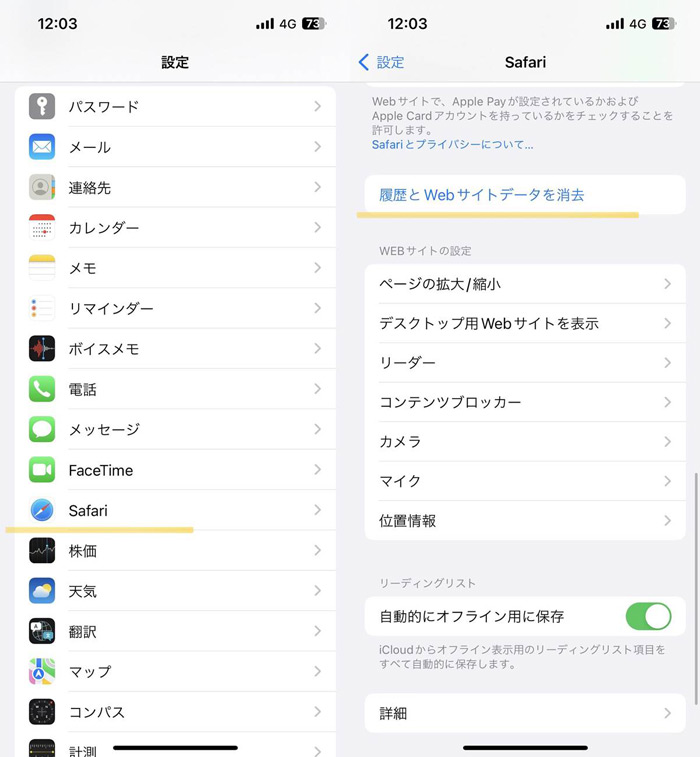
Users often assume their session records vanished, yet functional remnants remain scattered across secondary caches. Under iPhone Safari settings, navigating to Settings > Safari > Advanced > Website Data displays persistent site assets, cookies, and local storage entities.
This directory does not track discrete visit timestamps or page titles. Instead, it maintains a ledger of domains that deposited local files. If a user needs to verify whether a particular domain was visited, this screen often confirms it, even after standard history deletion, provided the user did not choose the nuclear option to "Clear History and Website Data" entirely.
Similarly, Screen Time web activity logs domain interactions independently of Safari’s primary database. If Screen Time is active, the system aggregates domain-level usage stats across Apple IDs, preserving a trail of visited domains long after the main browser ledger is cleared.
Technical Viability Across Recovery Approaches
Navigating browser data retrieval requires separating operating system capabilities from marketing fabrications. The table below outlines how common recovery techniques behave in practical environments.
| Recovery Method | Operating System Target | True Success Rate | Primary Operating Constraint |
|---|---|---|---|
| Time Machine File Reversion | macOS (11.0, 15.x+) | 95%, 100% | Requires an existing local snapshot before deletion occurred. |
| Full iCloud Device Backup | iOS / iPadOS | 60%, 80% | Requires device wipe; fails if Safari iCloud syncing was enabled. |
| Advanced Website Data Inspection | iOS / macOS | Domain-only (40%) | Reveals hostnames, not distinct subpages, queries, or timestamps. |
| Unallocated Space Deep Scraping | iOS / iPadOS | 0% | Blocked by hardware encryption and APFS TRIM commands. |
| Third-Party Commercial "Fixers" | Cross-Platform | Fictitious ( | Extracts existing cache/bookmarks, falsely presenting them as recovered. |
The Mechanics Behind Data Recovery Tool Scams
A search for recovering lost browser histories inevitably leads to aggressive paywalls. Software suites with clinical names promise to dive deep into mobile devices and pull lost records from thin air.
Almost universally, these products are deceptive.
Modern iPhones utilize file-based hardware encryption governed by the device's Secure Enclave. Applications executed on a connected desktop computer lack root access to an un-jailbroken iPhone's internal flash storage. When these $60 software programs claim to analyze raw disk sectors, they are fundamentally lying. Sandbox rules prevent external tools from raw-reading unallocated physical memory sectors over a standard USB Lightning or USB-C connection.
What are these tools actually doing? They initiate a standard, unencrypted local iTunes/Finder backup to the computer, read the publicly exposed SQLite databases within that fresh backup, and parse files that were never deleted in the first place.
They scrape WebKit cache files, persistent favicons, and Safari reading lists. Then, they display these current assets on screen behind a dramatic scanning animation, claiming: "We found 482 deleted records! Pay $49.99 to unlock them." Once the fee is paid, the user receives a CSV file containing nothing more than standard web artifacts or bookmarked domains.
Granular Control: Managing History Without Total Wipes
Many users run into recovery problems because they used a nuclear option when a precise tool was required. Instead of hitting broad purge buttons that trigger automated database cleanups, both iOS and macOS offer surgical alternatives.
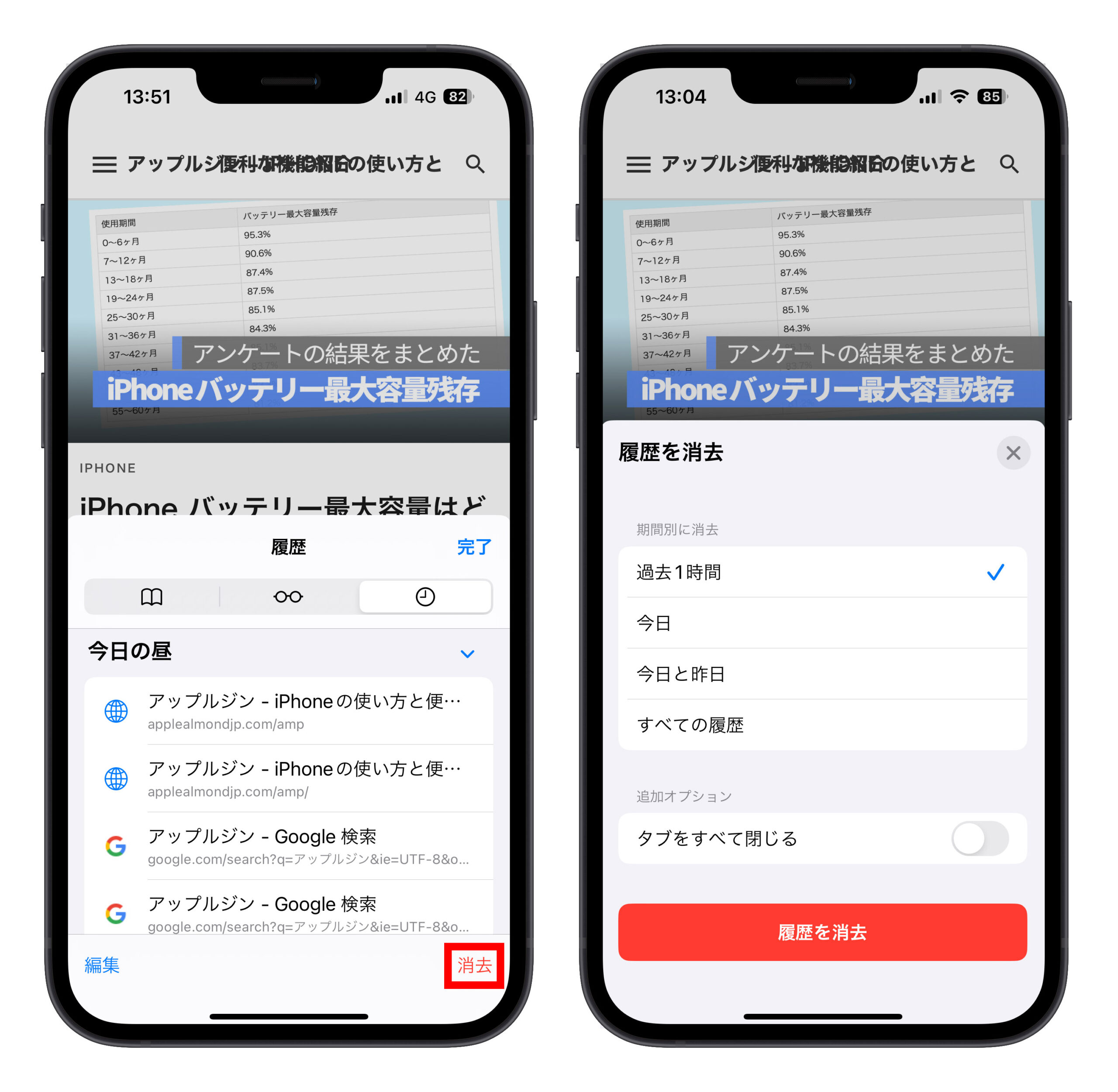
Users can easily delete specific pages in Safari rather than wiping weeks of browsing context. In iOS, opening the Safari bookmarks tab, tapping the clock icon, and swiping left on a single URL entry strips that specific row from the database without touching related entries or stored authentication tokens.
On desktop platforms, mastering Mac Safari keystrokes delivers equivalent precision:
- Pressing Command + Y instantly surfaces the full historical index.
- Pressing Command + F opens an in-line filter to isolate specific search terms or web domains.
- Highlighting target URLs and hitting Delete eliminates isolated entries immediately while preserving surrounding history.
For sessions where zero retention is the goal from the outset, private browsing mode operates entirely in ephemeral RAM. Private windows use isolated database instances that discard their lookup tables the moment the tab is dismissed. Neither local SQLite write-ahead logs nor network caching structures persist those visits to the physical disk.
Frequently Asked Questions (FAQ)
Q1: Does clearing history on an iPhone remove it from connected devices?
Yes, provided Safari sync is active in iCloud settings. When an entry is removed on iOS, the deletion triggers an immediate CloudKit sync event that pushes the removal instruction to all signed-in Macs and iPads within seconds.
Q2: Can internet service providers or network routers restore deleted Safari history?
No. Network hardware and ISPs log domain-level DNS queries, not Safari's local history database. While an ISP or router log might confirm that a device connected to `apple.com` at a specific time, it cannot log the exact subpages visited, specific search keywords used over HTTPS, or pages viewed inside Safari.
Q3: Will restoring an iPhone from a computer backup bring back cleared searches?
Only if the local backup file was generated before the user initiated the deletion. If an unencrypted or encrypted local backup was written to a Mac or PC prior to the wipe, restoring that device image reinstates the exact database state captured at that moment.
The Reality of Ephemeral Web Traces
Local web data is far more fragile than internet rumors suggest. Operating systems are deliberately engineered to destroy discarded records to protect consumer privacy and keep solid-state drives operating at peak speeds. When an entry is erased in Safari, macOS and iOS are designed to finalize that action permanently.
Understanding this technical design protects both privacy and wallets. If an essential URL slips away, check your local Time Machine backups, inspect the Advanced Website Data menu for base domains, or consult a preexisting system image. Do not enter credit card credentials into predatory recovery tools that promise the technically impossible. Once the local database vacates the record and flash cells trim the space, the digital trail is closed for good.
