The Complete Guide to Hiding Instagram Posts: Mute, Restrict, and Geotag Fixes
Social networks operate on an aggressive presumption of total exposure. When your follower list expands to include colleagues, extended family, and local parent groups, sharing personal milestones turns into an exercise in reputational risk management. A blunt block triggers immediate interpersonal blowback, leaving users searching for subtle, friction-free methods to shield their private updates from watchful eyes. As highlighted in a recent MSN Report examining parental social circles, the demand for invisible privacy tools has surged as people seek ways to preserve daily digital connections without offering every casual acquaintance an unvarnished window into their domestic lives.
Managing visibility across Instagram does not require burning bridges or deleting long-standing accounts. The platform contains a patchwork of legacy toggles, shadow-moderation features, and audience filters that can quietly carve out private spaces within a public profile. Taking control of these settings allows you to suppress intrusive updates, limit who inspects your photos, and sever the background location markers that inadvertently broadcast your daily routines.
📌 Key Takeaways:
- Asymmetrical Visibility: Features like Restrict and custom Close Friends lists let you hide posts from specific followers without triggering alerts or severing follow ties.
- Location Hardening: Instagram leaves precise GPS tags off by default on new posts, but historical location metadata and app-level tracking permissions require manual operating-system audits.
- Feed De-escalation: The mute function acts as an invisible filter, wiping unwanted accounts from your timeline and stories while keeping outward social ties completely intact.
The Social Friction Behind Silent Profile Filtering
The standard privacy model of social media was built around a basic binary choice: public or private. That structure broke down once real-world obligations invaded online spaces. Today, an account often holds childhood friends, professional peers, school committees, and distant relatives simultaneously. In closely knit communities, such as parent associations or corporate teams, unfollowing an acquaintance is often interpreted as an active insult. Users find themselves trapped between social friction and personal privacy.
This dynamic has prompted a major shift toward what digital researchers call "calculated obfuscation." Instead of vanishing from the platform, people selectively curate who gets entry into specific pockets of their lives. When parents share pictures of their children or weekend travels, broadcasting those images to casual neighborhood acquaintances carries safety risks and social judgment. The core challenge is restricting visibility while maintaining the appearance of open connection.
Suppressing Inbound Clutter: Muting Feeds and Stories Without Detection
Managing visibility is a two-way street. Protecting your mental bandwidth from exhausting accounts is just as critical as restricting who sees your own timeline. Unfollowing an overbearing contact frequently provokes unwanted confrontation. The mute tool resolves this issue by cleanly separating your viewing habits from your public follow count.
To silence an account without alerting the owner, navigate to their profile, tap the Following button, select Mute, and toggle separate sliders for Posts, Stories, and Notes. Alternatively, long-press an active story bubble at the top of your feed and select the mute prompt directly from the contextual menu.
Muting executes an absolute visual wipe from your personal stream. The targeted user receives no notification, their direct messages still reach your inbox normally, and their comments still appear under your posts. You can view their profile manually whenever you choose. It represents a clean break from their content stream without leaving an audit trail.
Shielding Outbound Content: Restrict, Close Friends, and Soft Blocking
Limiting what specific people can see requires choosing the right tool for your situation. Instagram provides distinct features designed for different interpersonal problems, ranging from nuisance commenters to persistent lurkers.
The Restrict feature serves as an invisible shadow-moderation barrier. Designed primarily as an anti-harassment countermeasure, restricting a profile alters how that person interacts with your account. When a restricted user comments on your photos, the comment is visible only to them. You can approve it manually, leave it hidden, or delete it entirely without them knowing. Furthermore, their direct messages are moved into your Message Requests folder without sending read receipts, and your active status remains hidden from their view.
When you want to publish feed posts and Reels exclusively to a trusted circle, the Close Friends selector serves as your primary filter. Originally limited to 24-hour Stories, Instagram expanded Close Friends targeting to permanent feed images and Reels. Selecting this audience before hitting publish ensures that only the accounts on your curated list will see the post on their feeds or profile grids.
For more aggressive boundaries, the soft block remains a reliable community workaround. By navigating to your follower list, tapping the three dots adjacent to an unwanted follower's name, and selecting Remove Follower, you detach their profile from your feed. On a private account, this immediately revokes their viewing access without the hostile signaling of a hard block. If your account remains public, combine follower removal with story hiding by opening Settings > Hide Story and Live to close lingering access points.
| Control Method | Content Shielded | Target User Awareness | Direct Message Behavior |
|---|---|---|---|
| Mute | Incoming Posts & Stories | Zero notification | Delivered normally |
| Restrict | Outgoing Activity Status & Comments | Zero notification (Shadow-filtered) | Routed to Message Requests |
| Close Friends | Targeted Posts, Reels, & Stories | See green badge indicator | Unchanged |
| Soft Block | Entire Feed (Requires Private Account) | Silent (Discovered upon profile check) | Follower relationship terminated |
Eliminating Location Breadcrumbs and Accidental Geotags
Visual content reveals plenty, but geographic coordinates expose your real-world habits. Adding location tags to family outings, local school grounds, or residential neighborhoods hands bad actors actionable pattern-of-life intelligence. Many users accidentally share this information without realizing how much data travels with a single photo.
Recent technical analyses emphasize that Instagram defaults to keeping geotagging optional during the publishing sequence. The platform no longer automatically applies GPS coordinates unless a user manually searches for and selects a point of interest. Problems arise, however, when users give the application unrestricted operating-system-level access to device hardware.
To eliminate background positioning leaks, verify your device settings on iOS or Android:
On Apple devices, navigate to Settings > Privacy & Security > Location Services > Instagram. Switch access to Never, or disable Precise Location. On Android, navigate to Apps > Instagram > Permissions > Location, and select Don't allow. Stripping this operating-system permission stops the app from scanning your current coordinates to recommend nearby venues when drafting posts. If an older post already displays an exposed location tag, tap the three dots above the photo, select Edit, tap the location header below your username, and hit Remove Location.
Grid Maintenance: Archiving Posts and Controlling Tag Permissions
Protecting your profile also means cleaning up your past digital footprint. You might have published personal photos years ago that no longer belong on a semi-public feed. Permanently deleting posts destroys comment histories and analytics, which makes the Archive feature the better tactical choice.
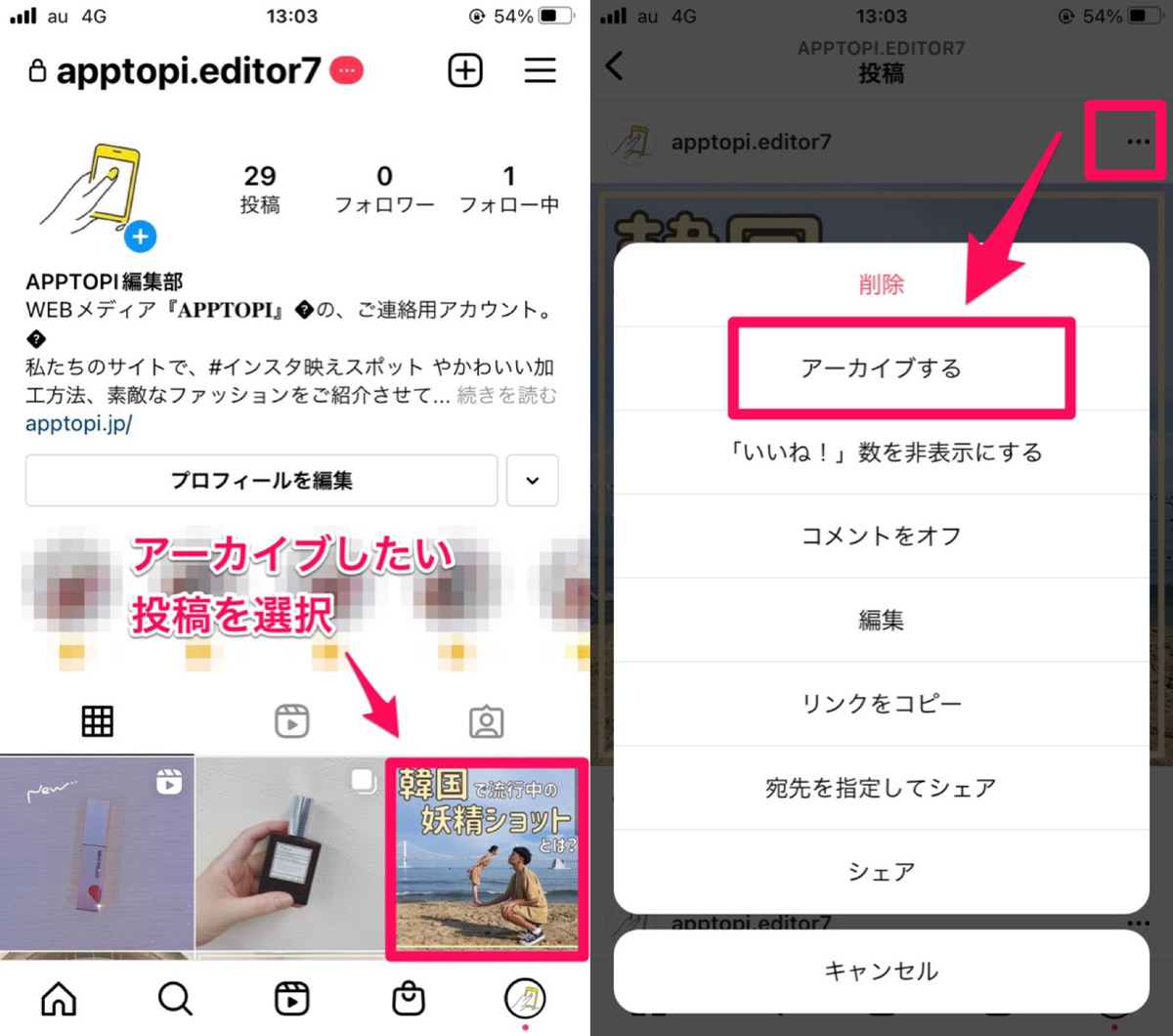
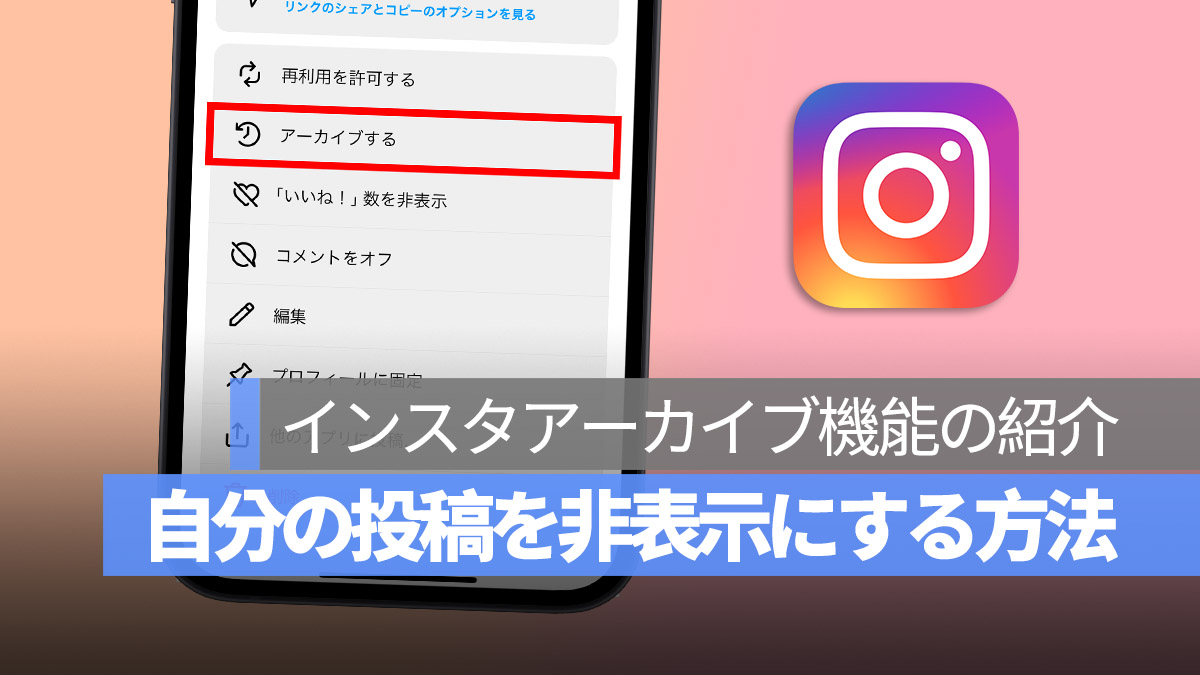
Archiving instantly removes an image or Reel from your public profile grid and stores it in an encrypted private vault only you can view. Tap the three dots on any published post, select Archive, and the entry disappears from external view. You can reverse this anytime by heading to Your Activity > Archive, picking the photo, and selecting Show on Profile. The post returns to its original spot in your chronological timeline without triggering new feed alerts.
External exposure often stems from third-party actions, specifically when friends or acquaintances tag you in their own media. If someone tags you in an unflattering or private scenario, open the image, tap your tag, and select Remove Me From Post. To stop surprise tags going forward, open Settings > Tags and Mentions, and switch the default to Manually Approve Tags. This puts every incoming tag into a holding queue, preventing photos uploaded by others from appearing on your profile without your express sign-off.
Frequently Asked Questions (FAQ)
Q1: Can someone tell if I restricted or muted them on Instagram?
No. Instagram does not issue notifications for either action. When you mute users, their content quietly drops out of your feed, but their view of your public posts stays identical. When you restrict an account, their comments are hidden from everyone else, but the interface shows the comment as active on their end. Their direct messages move silently to your requests inbox without marking messages as seen.
Q2: If I hide my Instagram Story from someone, does that block them from seeing my regular feed posts?
No. The standard Hide Story and Live control applies only to ephemeral stories and real-time broadcasts. It leaves your main feed images, Reels, and profile grid fully accessible to that user. To block regular feed posts from specific accounts without changing your global account status, publish those images directly through the Close Friends audience selector, or remove the user from your follower list on a private account.
Q3: Does stripping location access from the Instagram app remove GPS data from previously uploaded posts?
No. Revoking location permissions in your phone's operating system only prevents Instagram from detecting your position for future drafts and uploads. Any location markers manually attached to historical posts remain public until you edit or remove them yourself. To scrub older tags, open each post, tap Edit, and delete the tagged location manually.
Establishing Sustainable Digital Boundaries
Protecting your online privacy does not mean abandoning public platforms or alienating your real-world acquaintances. Social applications thrive by default on broad sharing, nudging members toward open exposure to fuel engagement metrics. Maintaining healthy boundaries requires pushing back against those product defaults.
By pairing audience controls like Close Friends with back-end safeguards like tag approvals, location stripping, and account restriction, you regain control over your digital footprint. You can share personal updates with genuine friends while keeping casual observers and professional contacts at a safe distance. Using these settings transforms a blunt, all-or-nothing feed into a controlled, compartmentalized platform that works for your personal life.
